
Smile Live Wallpaper 4K
TH Railway JoinstockPersonalization
0.00.00 Reviews
- Version
- 3.0
- Installs
- 100.00K
- Age Rating
- Everyone
Screenshots
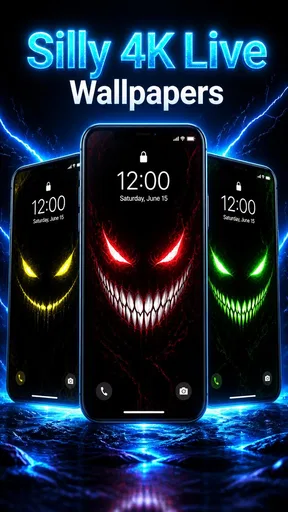
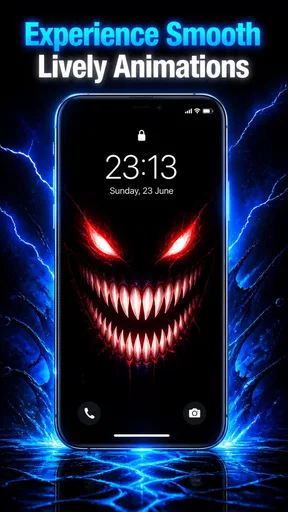
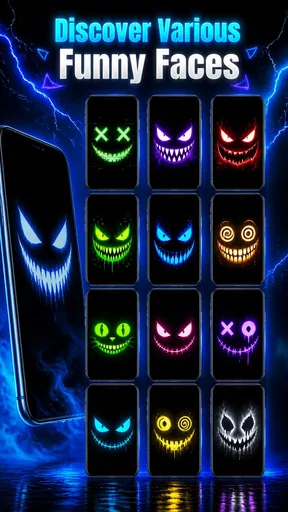
Our Review of Smile Live Wallpaper 4K
 Analysis by Appyee
I like live wallpapers when they add personality without turning the phone into a distraction, and Smile Live Wallpaper 4K is aimed squarely at that simple pleasure. It is a free personalization app from TH Railway Joinstock that puts a smile-themed moving background on an Android phone. The idea is easy to understand, but the decision to install any wallpaper app deserves a little more thought than a quick glance at a colorful preview. A wallpaper can remain visible throughout the day, affect battery habits, and sometimes ask for access that feels unrelated to its purpose.
After spending time with the app, my impression is cautious but positive: this is best viewed as a decorative tool rather than a feature-rich customization suite. Its appeal comes from making the home screen feel lighter and more playful, especially if a static image now seems dull. The important question is not whether it replaces a full launcher or a large wallpaper library. It does not need to do that. The real question is whether a smile-focused live background gives you enough visual charm to justify adding another app to your phone.
What the app is really for
The name tells you most of the story. Smile Live Wallpaper 4K is designed for people who want a cheerful animated backdrop instead of a still photograph, abstract texture, or manufacturer-supplied image. I would put it in the same practical space as other personalization apps, but with a much narrower identity. You are not downloading it to organize icons, redesign the notification shade, or build a complete theme. You are choosing it because the smile motif suits your mood.
That narrow focus is actually useful. Many wallpaper collections make you browse through hundreds of unrelated images before finding something that feels right. Here, the visual direction is more specific from the beginning. If you like friendly, upbeat imagery, the app can shorten the path between installation and a more personal home screen. If you prefer landscapes, minimalist gradients, photographs, or highly configurable animated scenes, a broader wallpaper catalog will probably serve you better.
The app is free, carries an Everyone age rating, and supports Android phones running version 8.0 or later. Its current version is 3.0, while its release date is listed as April 20, 2026. It has reached over one hundred thousand installs, which gives it some visibility without making it a household name. I see that scale as a reason to inspect the experience for yourself rather than treating popularity as proof of quality.
One practical point matters before you install it: a live wallpaper is not only something you open once. It becomes part of the phone’s everyday visual layer. You may notice it while unlocking the device, checking the time, opening an app, or returning to the home screen after a call. That makes personal taste more important than a brief first impression. A design that feels amusing for five minutes can become tiring if it competes with icons or makes the screen feel busy.
How it fits into an everyday routine
A realistic use case is a secondary phone or a personal device that feels too plain after months of the same static background. I can imagine setting the wallpaper on a family phone, a casual-use device, or a handset used for music and messaging where a little visual energy is welcome. The smile theme also makes more sense on a phone shared with younger family members, although the Everyone rating should not be confused with a guarantee that every visual preference will suit every child.
Another sensible workflow is to try it during a short refresh of the home screen. Before applying it, take a moment to check whether your icons are easy to read over a moving background. If the wallpaper is bright or animated behind text, move important shortcuts to a less crowded area or use a simpler icon arrangement. This small adjustment can make the difference between a pleasant screen and one that feels messy.
I would not choose it for a work phone where a restrained appearance matters, nor for a device used outdoors in bright light if readability is already a problem. A live background can make the screen feel more active, but activity is not the same as clarity. If your priority is seeing notifications and app labels instantly, a calm static color or a dark, high-contrast image remains the safer choice.
Visual appeal versus practical comfort
The “4K” wording suggests a high-resolution visual presentation, which sounds attractive on modern displays. In practice, resolution alone does not determine whether a wallpaper feels good. Composition, contrast, motion, and how the image sits behind icons matter just as much. A sharp background can still be uncomfortable if it is too bright, too detailed, or constantly moving beneath text.
My advice is to judge the wallpaper from the home screen, not only from its preview. Previews usually give the image room to breathe, while the real phone adds widgets, notification badges, navigation elements, and app labels. That is one of the less obvious trade-offs with this kind of app: the best-looking image in isolation may not be the most usable background once the phone’s interface is layered on top.
I also recommend checking the lock screen and home screen separately if your Android version and device allow different wallpaper choices. A moving design may feel welcome on the home screen but unnecessarily busy on the lock screen, where you often want to read notifications quickly. Keeping the calmer option where information matters most is a simple way to enjoy the app without letting it dominate the whole phone.
Trust, controls, and personal choice
Because the app stays visible and may be used repeatedly, I think trust should be evaluated through what the phone actually shows you during installation and setup. I do not treat a cheerful theme as a reason to grant broad access automatically. My habit is to read each permission prompt, ask whether it is necessary for selecting or displaying a wallpaper, and decline anything that does not make sense for that task. If Android presents a permission that feels unrelated, I would stop and investigate before continuing.
The same approach applies to notifications, background activity, and battery settings. A wallpaper app may need to remain active in some form to display motion, but that does not mean I want extra alerts or unrestricted activity by default. I check the system’s app controls after installation, especially if the phone begins showing unexpected notifications or battery use. These are not accusations against TH Railway Joinstock; they are sensible checks for any app that changes a persistent part of the interface.
The most important control is the ability to return to a normal wallpaper without friction. Before applying a new background, I make sure I know where Android’s wallpaper settings are and keep a preferred static image available. That way, I can reverse the change immediately if the animation feels distracting, the contrast is poor, or the phone behaves differently from what I expected.
Account control is another area where I prefer minimal commitment. For a simple wallpaper, I would rather use the app without creating an account unless the app clearly requires one for a specific function I genuinely want. I do not enter personal details merely to preview a background. If a sign-in screen appears, I consider whether the benefit is worth the added account relationship, and I avoid reusing an important password for a decorative utility.
Data-sensitive moments can occur even when the app’s purpose is purely visual. Installation, first launch, permission prompts, advertising screens, external download requests, and links to other services are all moments when I slow down. I look at the Android permission manager and the app’s system settings rather than relying only on a colorful interface. The useful principle is simple: a wallpaper should not receive more access than I am comfortable granting for a wallpaper.
I also pay attention to choices that are easy to miss. If there is an option to disable notifications, I use it unless alerts are genuinely useful. If Android offers battery optimization controls, I compare the visual benefit with the effect on my phone’s endurance. On an older device, preserving battery may matter more than keeping motion active all day. A static alternative can provide nearly the same personal touch with less ongoing activity.
Where the experience may feel limited
The app’s focused concept is both its strength and its limitation. It can be appealing if you specifically want a smile-themed live wallpaper, but it is unlikely to satisfy someone looking for extensive customization. I would not expect the same breadth of controls found in a dedicated wallpaper engine, launcher, or large theme platform. Those alternatives may offer more categories, animation adjustments, scheduling, icon packs, widgets, and ways to match the wallpaper to a complete visual system.
That does not make this app a poor choice. It simply changes the standard I use to judge it. I ask whether the selected design looks good behind my actual icons, whether the motion stays comfortable, whether the setup is understandable, and whether the app remains easy to remove. I do not penalize it for failing to become a full personalization platform when its purpose is much smaller.
There is also a device-specific trade-off. Android phones vary widely in screen size, display technology, launcher behavior, and battery management. A wallpaper that looks balanced on one handset may crop differently on another. Some launchers may handle live backgrounds more smoothly than others. If the image is cut off, the animation stutters, or the home screen becomes slow, I would first test the phone’s own wallpaper settings and launcher before assuming the visual itself is the problem.
For users with motion sensitivity, a static image is the better option unless the movement can be made comfortable through the phone or app controls. I would also skip it if you need a distraction-free screen, rely heavily on accessibility contrast, or use an older handset that already struggles with smooth transitions. The Everyone rating describes the broad age suitability, not whether the visual movement is ideal for every person.
How I would compare it with usual alternatives
Compared with a standard still wallpaper, this app offers more atmosphere but also more potential distraction. A static image is predictable, usually easier to read over, and simpler to manage. Choose the live option when the animation is the point, not because you expect it to improve productivity or phone performance.
Compared with a general wallpaper library, the smile-focused approach is faster if its style matches your taste. A library is better when you want to rotate between nature, art, dark backgrounds, seasonal images, and abstract designs. The broader option gives you more room to change your mind, while this app gives you a clearer visual identity from the start.
Compared with a full launcher or theme system, Smile Live Wallpaper 4K is less intrusive and easier to understand, but also less comprehensive. A launcher can change icon layouts, gestures, folders, and other parts of the interface. That is useful for someone rebuilding the whole phone experience, whereas this app makes sense for someone who wants one visible change without replacing familiar navigation.
This distinction helps avoid a common disappointment. If you install it expecting a complete redesign, you may find the result too limited. If you install it expecting a decorative background that changes the mood of the home screen, its focused nature becomes more reasonable. I would start with the smallest change that solves the problem, and this app belongs in that category.
Tips for testing it without overcommitting
I would begin by applying the wallpaper during a normal day rather than judging it immediately after installation. Use the phone in bright light, in a dim room, while reading notifications, and while switching quickly between apps. This reveals whether the background helps the phone feel more personal or simply adds visual noise. A five-minute preview cannot answer that as well as ordinary use.
Next, compare the same screen with your previous static wallpaper. Look specifically at icon-label readability, widget contrast, perceived unlock speed, and how often your attention is pulled toward the animation. This is a more useful test than asking whether the wallpaper is “fun.” A good background should support the phone’s interface instead of making every interaction feel busier.
Finally, check the system controls after the first day. Review notifications, permissions, battery behavior, and whether the app remains easy to find in Android settings. If you decide to keep it, the result should feel like a choice you control, not a visual layer you have forgotten about. If you remove it, restore your preferred background and revisit permissions that are no longer needed.
There is no reason to create an account or share extra personal information just to make a home screen more cheerful. I would keep the setup deliberately narrow, use only the controls that support the wallpaper, and avoid treating optional prompts as part of the core experience. That approach preserves the app’s main benefit while reducing unnecessary commitment.
My measured recommendation
Smile Live Wallpaper 4K is a reasonable pick for Android users who want a playful, smile-centered moving background and prefer a focused personalization app over a large catalog. It is free, suitable for Everyone, and available for devices using Android 8.0 or later. The developer, TH Railway Joinstock, has presented a simple concept rather than an all-purpose customization system, and that simplicity is exactly why some people will enjoy it.
My recommendation is conditional rather than automatic. Install it if you value the theme, have a phone that handles live wallpapers comfortably, and are willing to check permissions and system controls before settling in. Test it behind your real icons, not just in a preview, and keep a static fallback ready. Those steps make the experience more practical and give you an easy exit if the motion or battery impact is not worth it.
I would skip it if you want deep personalization, a large selection of unrelated designs, a completely quiet interface, or maximum battery efficiency. In those cases, a static image, a broader wallpaper collection, or a full launcher will be a better match. For everyone else, the app can provide a small but noticeable change to an otherwise familiar phone.
My final view is that the app works best when treated as a modest visual refresh, not as a major phone upgrade. The smile theme can make the home screen feel warmer, but the responsible choice is to keep control over permissions, notifications, account decisions, and background activity. If the design makes you enjoy unlocking your phone without getting in the way of reading or navigation, it earns its place. If it becomes the thing you notice instead of the things you need, returning to a simpler wallpaper is the better decision.
Verdict
Strengths of Smile Live Wallpaper 4K
- Stunning 4K visuals make home screens feel bright and lively.
- Includes cheerful smile-themed designs for different moods.
- Easy to preview and apply wallpapers with minimal setup.
- Works well for users who enjoy colorful, positive personalization.
- Offers a quick way to refresh a phone’s appearance.
Limitations of Smile Live Wallpaper 4K
- 4K wallpapers may use considerable storage space.
- Animated backgrounds can increase battery consumption.
- Some devices may not display the highest resolution smoothly.
- The smile-themed selection may feel limited for some users.
- Ads or paid content may interrupt the browsing experience.
Similar Picks in This Category
View All
Microsoft SwiftKey AI Keyboard
SwiftKey4.3

Wallpapers
Google LLC4.1

Zedge™ Wallpapers & Ringtones
Zedge4.7

Yandex Browser with Alice AI
Direct Cursus Computer Systems Trading LLC4.3

Ringtone Maker:create ringtone
Big Bang Inc.4.7

Fonts Keyboard
Fonts Keyboard3.9
Frequently Asked Questions
What is Smile Live Wallpaper 4K?
Smile Live Wallpaper 4K is a wallpaper application designed to give your Android or iOS device a more cheerful and personalized appearance. It typically offers high-resolution smile-themed backgrounds, animated effects, and options for applying wallpapers to the home screen, lock screen, or both. The exact features may vary depending on the version and operating system available.
Does Smile Live Wallpaper 4K support all phones and tablets?
Compatibility depends on your device model, operating system, screen resolution, and the version of the application. Most recent Android phones should handle standard live wallpaper features, while iOS support may be different because Apple places stricter limits on animated wallpapers. Before downloading, check the store listing for supported versions, device requirements, and whether the wallpaper works on tablets or only on smartphones.
Will Smile Live Wallpaper 4K drain my battery or use a lot of storage?
Live wallpapers generally use more battery than static images because animation and visual effects may continue running in the background, especially when the home screen is active. High-resolution 4K files can also require additional storage compared with ordinary wallpapers. Battery impact depends on the animation style, screen brightness, refresh rate, and device hardware, so users should monitor performance after installation.
Is Smile Live Wallpaper 4K free to download and use?
The application may be available as a free download, but some wallpapers, effects, or customization tools could require in-app purchases or a subscription. Free versions may also include advertising or offer only a limited selection of backgrounds. Review the official Google Play or App Store listing carefully before installing, paying particular attention to pricing, trial terms, recurring subscriptions, and the permissions requested.
How do I set and customize a wallpaper in Smile Live Wallpaper 4K?
After opening the app, choose a smile-themed wallpaper from the available collection and use the preview option to check how it looks on your screen. You may then be able to adjust animation, brightness, or display settings before applying it. On Android, the app usually opens the system live-wallpaper selector; on iOS, available options depend on Apple’s wallpaper support and the app’s specific implementation.
